It is very easy to create separate logins in Dance Studio Manager so that your instructors do not have full administrative access.
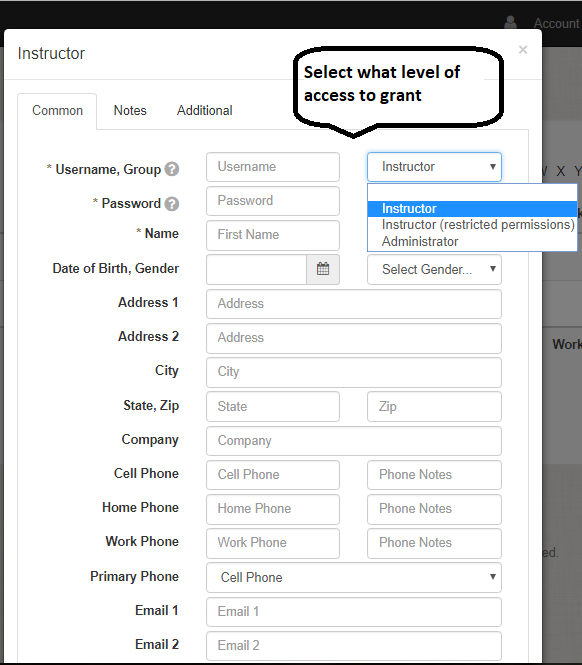
When adding an instructor to DSM, there are three main options: Administrator, Instructor, and Instructor with restricted permissions.
Administrator: Full access to all information
Office Administration: Has access to all information with the exception of gross sales reports or any other financial sales reports for the studio. They also have access to messaging.
Instructor: Can see all Students/families. But, they can only see and take roll for their classes. There is no access to financial data and they cannot access the ledger. They cannot see other instructor schedules. The only report they have access to is their roll sheets
Instructor restricted permissions: Can only take roll for their classes. They cannot see reports or family/student list
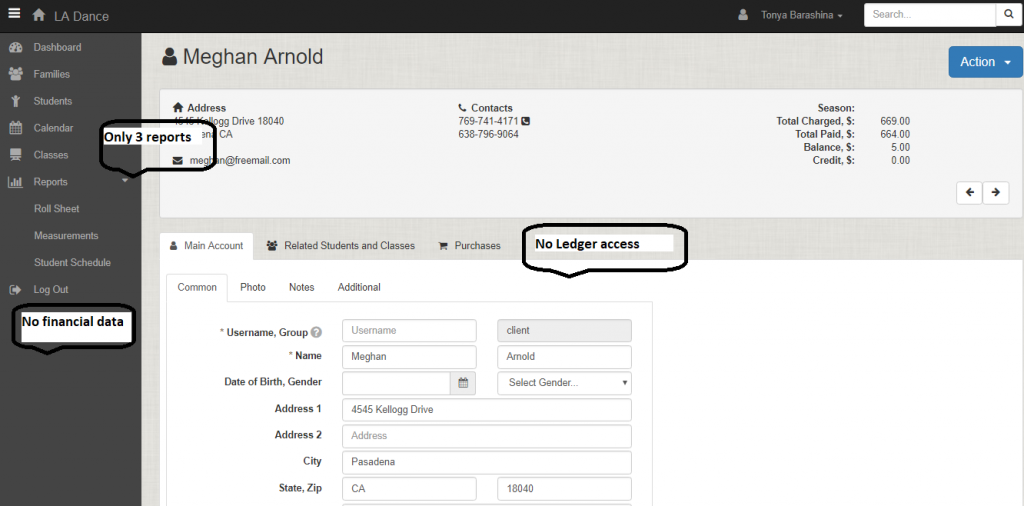
Here you can see the different level of access for Instructor Vs Administrator or Instructor with limited permissions.