Dance Studio Manager brings enrollment, scheduling, tuition, communication, reporting, and everyday studio administration into one connected system. You can start with the tools your studio needs now, turn on more as your workflow grows, and give administrators, teachers, students, and families the access that belongs to them.
Three ways to explore DSM
Understand the system
Use the feature overview below to see how DSM supports a studio day from registration through reporting.
See the interface
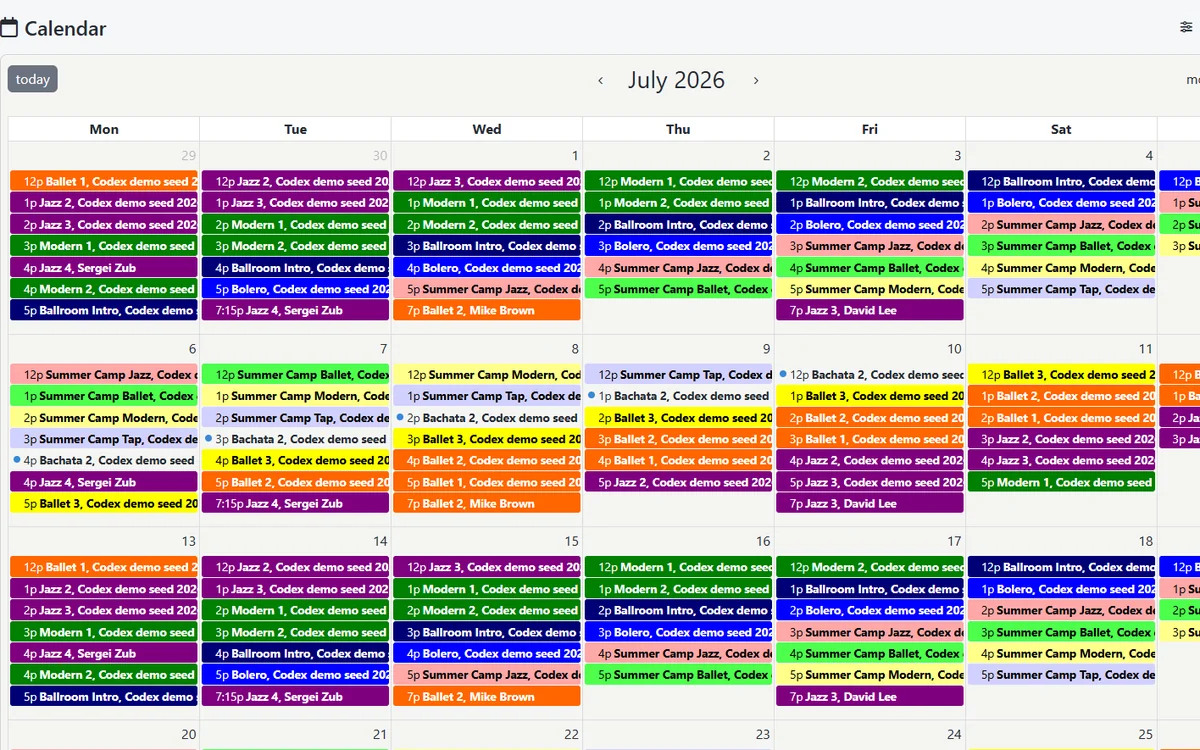
Visit the videos and screenshots page for current calendar, staff, desktop, tablet, and mobile views.
Try your workflow
Use a 30-day DSM demo to test a real class, tuition rule, family account, and report.
Start with the work your team does every day
Good studio software should reduce repeated data entry and make the next step clear. A family registration should create information the office can use. A class schedule should connect to teachers, rooms, attendance, tuition, and communication. A payment should appear in the family's account and in the reports your team needs.
DSM is organized around those connections. Explore the six areas below, then open the detailed page for the workflow that matters most to your studio.
Enrollment and scheduling
Publish classes, organize seasons and programs, set capacities, manage rosters and wait lists, schedule private lessons, and keep locations and instructors connected to the right activities.
Explore class scheduling
See online registration and the client portal
Tuition and payments
Support tuition-based programs, packages, class passes, pay-as-you-go options, invoices, statements, online payments, recurring charges, and the special arrangements that real family accounts require.
Family and staff access
Give administrators, teachers, students, and clients separate access. Families can use the portal for the information and actions you allow, while instructors can focus on schedules, attendance, and the students they teach.
Communication and follow-up
Reach the right families, classes, teachers, or prospects without rebuilding contact lists. Keep everyday messages, reminders, and marketing follow-up closer to the records your staff already uses.
Reports that answer questions
Review revenue, balances, enrollment, attendance, tuition, staff activity, and other operational details without assembling the same picture from separate spreadsheets.
Flexible studio operations
Use DSM on desktop, tablet, or phone. Keep rooms and locations distinct while retaining an organization-wide view, and turn off functions that do not belong in your studio's process.
See DSM at work

The public product gallery includes responsive calendar and staff-profile views. A demo goes further: it lets you move through the software yourself and decide whether the structure fits the way your team thinks.
Built for different studio roles
| Person | What that person needs from DSM |
|---|---|
| Owner or administrator | A complete view of enrollment, money, staffing, communication, and studio performance. |
| Office team | Fast access to family accounts, schedules, balances, registration details, and follow-up tasks. |
| Teacher | The relevant class schedule, roster, attendance, student, and communication tools without unrelated administration. |
| Parent or adult student | A clear place to register, review account information, make payments, and find studio updates. |
Use the features you need without paying by student count
DSM's core software is currently $40 per month with unlimited students, classes, and locations. The goal is predictable software pricing while your enrollment changes. Optional services and payment processing have their own details, so the pricing page explains what is included and what to confirm for your studio.
Feature lists are useful for building a shortlist, but they do not reveal whether your tuition rules, staff permissions, or family experience will feel natural. The most useful next step is to choose one awkward real-world workflow and try it.
Explore DSM with your own studio in mind
Start a 30-day demo with no credit card and test classes, registration, tuition, family accounts, communication, and reports at your own pace.