Customize Client Statements and Invoices
Clear statements help families understand their charges, payments, credits, and current balance. Dance Studio Manager gives you flexible statement settings so you can match the layout and level of detail your studio needs.
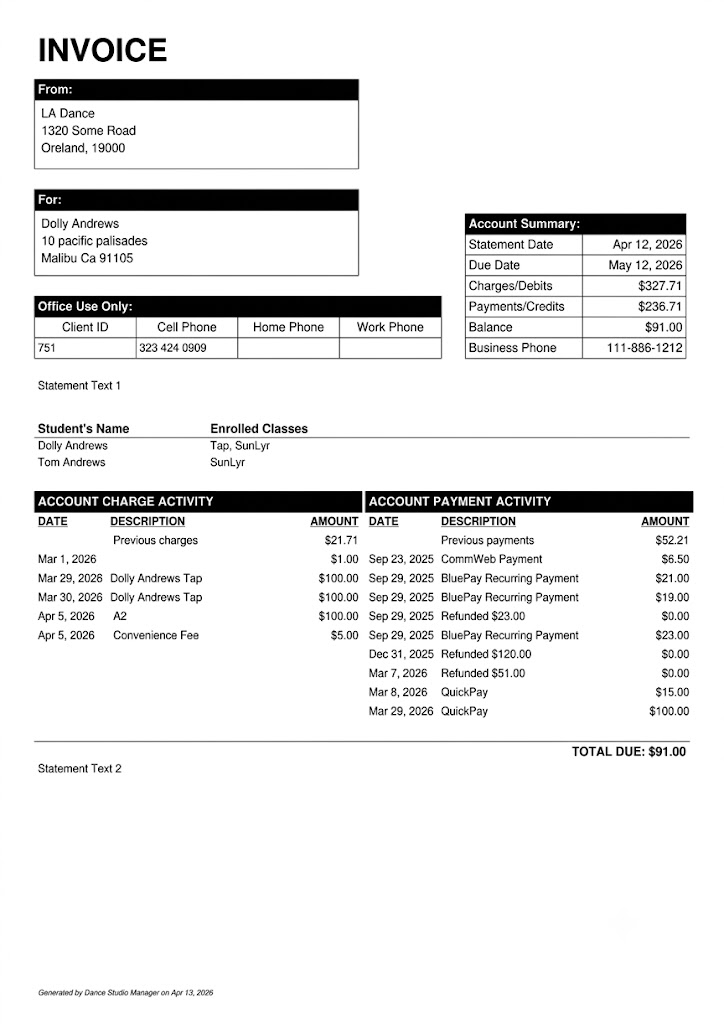
Go to Settings > Global Settings and search for statement. The numbered settings below correspond to the callouts in the annotated examples.
- Title/Logo settings: Edit the title of the invoice or opt to replace it with a logo.
- Show Due Date: By default, the due date is set to 30 days post the invoice date.
- Statement Text: Personalize your statement by adding custom text.
- Show Payments Section: Choose to display or hide this section.
- Show Charges From: Choose the date from which you want charges to appear. Many studios use the beginning of their current season.
- Charges Description Item: Within the client's ledger, you can add a supplementary description for each charge. This setting determines whether that description appears.
- Show Payments From: Choose the date from which payments should appear. Use the same starting date as charges when you want a consistent seasonal view.
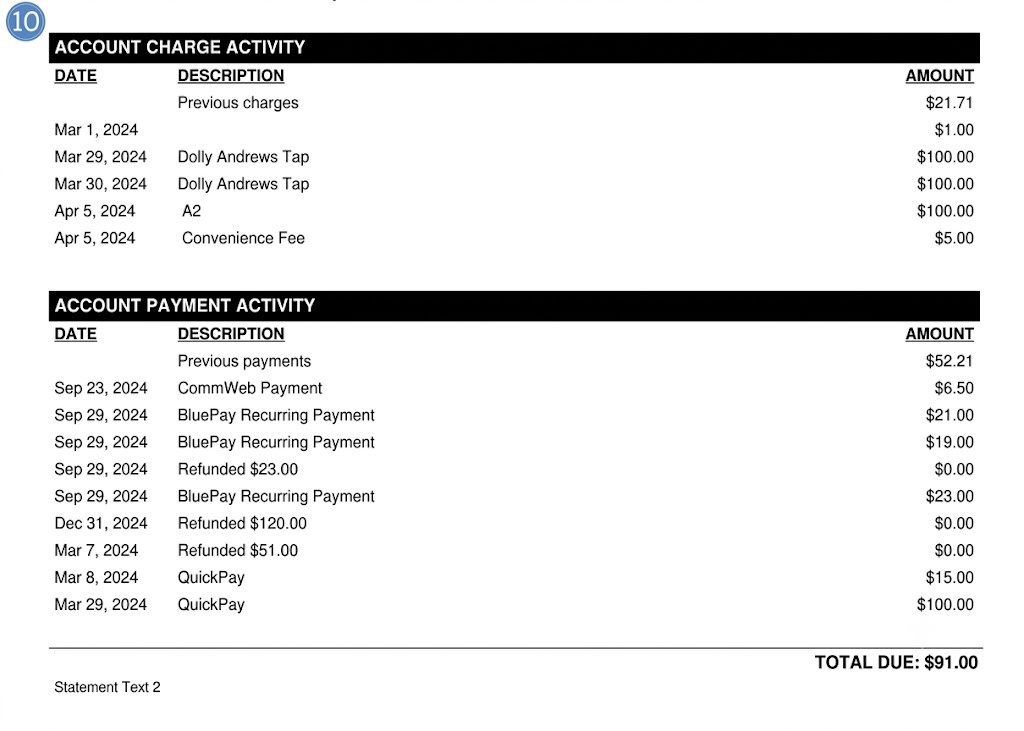
- Statement Text 2: An additional section to input custom text.
- Paper size: Adjust the size of the paper for your printed statements.
- Show Payments under Charges: When set to "yes," payments appear directly beneath the related charges. The second example shows this alternative layout.
Review these settings at the beginning of each season and whenever your billing process changes. A consistent layout makes statements easier for families to read and easier for your staff to explain.
See Each Statement Setting in Context